
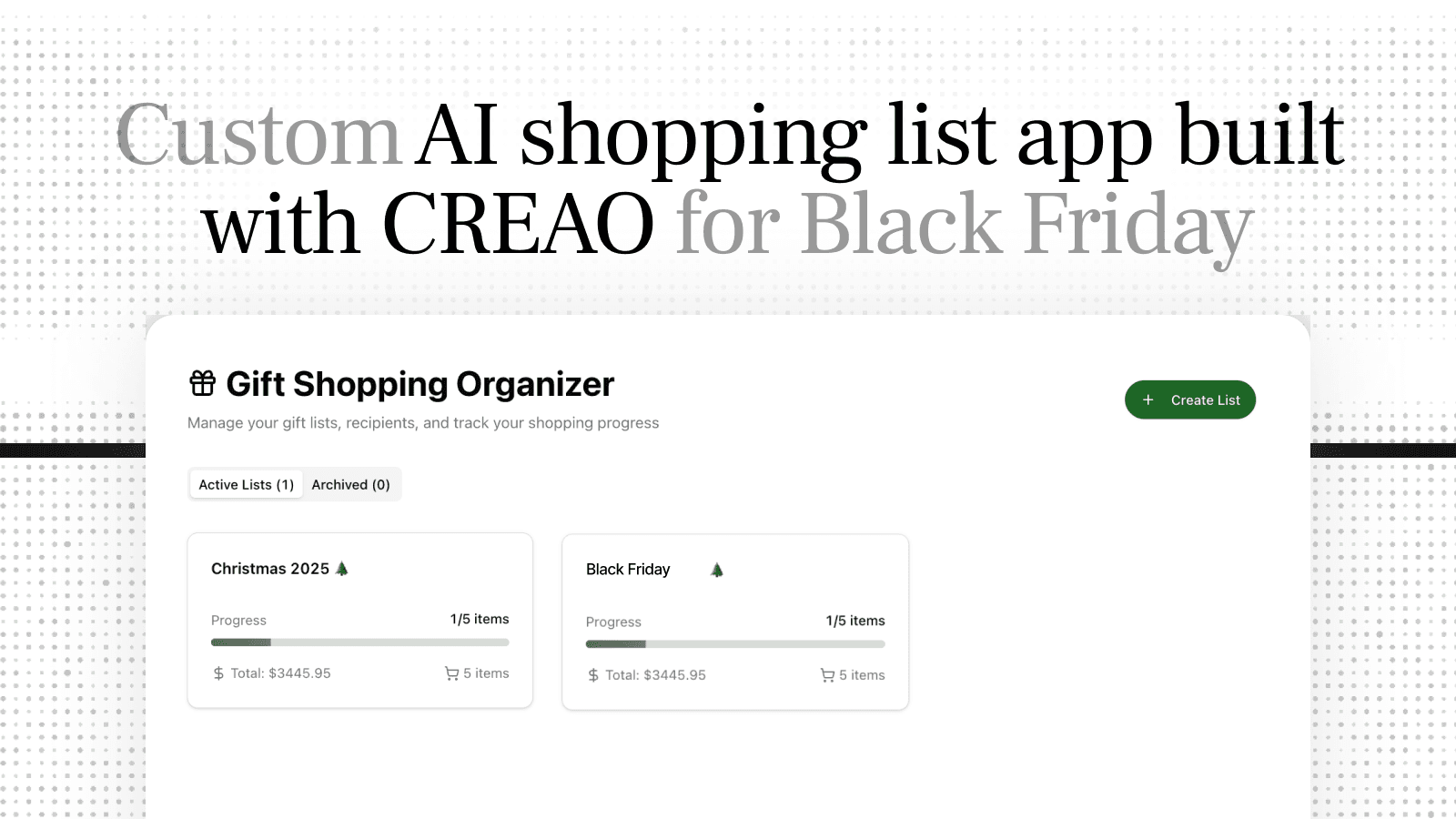
Build a Custom AI Shopping List App for Black Friday
Vibe coding an app turned out to be more fun than the shopping
Black Friday is coming. The ads are everywhere, letting me know now is the time to get my shopping done. I need to buy gifts for seven nieces and nephews. I'm an analyst by trade, so I decided to bring data and strategy to contend with the FOMO fuelled friday frenzy and the digital discount monday mayhem.
I'm the fun uncle. I take that very seriously. I care what they think and want them all to like me equally. These kids talk to each other, and the second one of them gets a better gift than the others, I'm done. My reputation as Fun Uncle is built on a foundation of scrupulous fairness and I will not let Black Friday chaos destroy it. I decided to build my own Shopping List App perfect for the ultimate fun uncle.
My problem with shopping is I tend to buy for the easiest prospect first. Or I buy things that look like a great deal or seem cool for someone that age, with the idea that I’ll split my purchases up later. Only later, I realize the gifts don't fit anyone all that well, or I've actually subconsciously been buying for the same person over and over, and someone else has nothing. And then I panic to balance it out, filling the gap with gift certificates or generic offerings that don’t impress.
Regular shopping lists don't solve this. They tell you what to buy, not who you're neglecting. I needed something that would keep me honest about allocation.
So I built an app to keep score.
Why Not Just Use Excel?
Fair question. I work with spreadsheets all day. They don't scream fun uncle. Like a method actor, I needed to get into the part. Excel is not Fun Uncle energy. I needed a different vibe.
A coworker had shown me what they'd built with CREAO, just describing what they wanted and watching it appear. It looked... fun? Creative? More like making something than configuring something.
I wanted to try it. And honestly, the idea of building a shopping app by chatting with AI felt way more in the spirit of being the fun uncle than opening Excel and writing SUMIF formulas.
Core Features of My AI Shopping List App
So I tried it. I opened CREAO, and I started describing what I figured would be the basics. The core:
Items — what I'm buying, with price
Kid — who it's for (all seven of them, plus "Self" because I'm not a saint)
Status — looking, decided, or purchased
Budget — per kid and total
The whole thing took a few minutes, which honestly shocked me. I got into it, I vibed a few more features, and I had a pretty cool app.
Each CREAO app comes with an AI Assistant built in. So instead of filling in fields, I started chatting my updates to it. As I did my research I could easily move things to the app. This feature would be a game changer once I was actually in the wild, shopping.
Being equal and fair is critical to maintaining my status as the fun uncle. That and my dad jokes. I'm reading a book about anti-gravity. It's impossible to put down.
My Gift Fairness Visuals: How I Made the App Mine
It's not a shopping list app. It's an allocation tracker. A fairness monitor. I started to make the app show me what I really wanted.
"Add a bar chart of spend per kid."
"Group each kid's gifts in a bubble chart, sized by price."
"Create a tree map colour coded by person based on estimated box dimensions."
It felt less like work and more like... playing? Each visualization just appeared. No pivot tables, no chart formatting menus. Just "make this" and it made it.
An hour later I had several views that made the app feel truly mine. Visualizing the distribution for each kid based on different parameters helped me refine the list while imagining the visual impact I wanted.
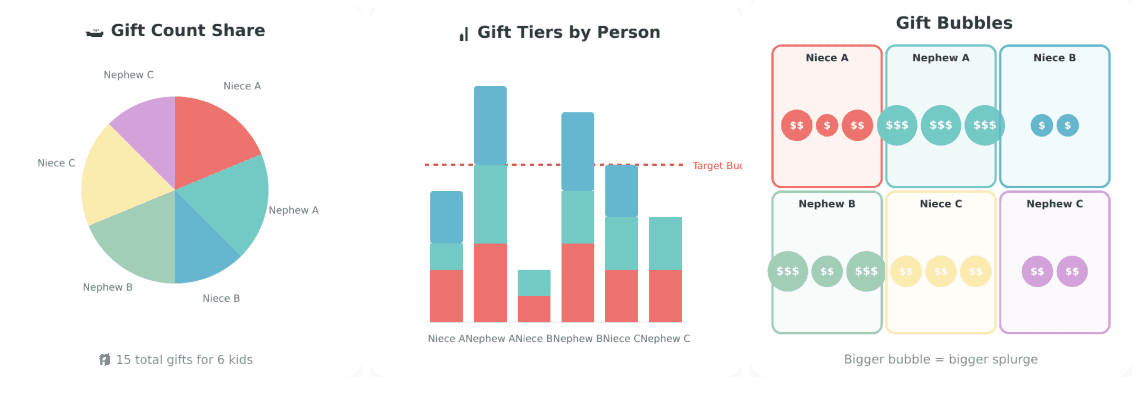
My personal fairness visualizations to refine my gift distribution
What I'm Adding to My Shopping List App
And I've already added holiday wrapping paper designs to my charts, just to make them even more fun.
I want to add a "difficulty level" tag—some kids are easy (video games, done), others require more thought. The AI could surface gift ideas based on what I know about them, or at least remind me what they're into.
Also thinking about connecting it to my notes where I write down things they mention throughout the year. CREAO has integrations built in, so pulling that in is straightforward.
Build Your Own Shopping List App
Your shopping problem is probably different from mine. Maybe you're not a data-obsessed uncle trying to maintain perfect fairness across seven children. Maybe your thing is budget, or deals, or just remembering what people already own.
The point is you can build for your actual problem, not the generic "shopping list" someone else designed.
And you'll love making it. Maybe more than shopping if you're like me. You can start with a template and vibe it your way.
I'll be ready when shopping season hits. App open. Balance bars visible. Making sure I don't accidentally become the uncle who plays favorites.
And that will give me more time to hone my other Fun Uncle super powers: Why did the math book look sad? It had too many problems.
Build yours: Try the Shopping List Template / Start from scratch on CREAO
What is CREAO?
CREAO is a platform for building custom apps through conversation with AI. Instead of configuring someone else's tool, you describe what you want and build it yourself. Every app comes with a built-in AI assistant for chat-based interaction with your data. Apps work standalone or connect into workspaces that coordinate automatically.
Frequently Asked Questions
Q: Do I need to know how to code?
A: No. You describe what you want: "I need a shopping list that shows spend per person and won't let me add items without assigning them to someone." The platform builds it.
Q: Can I share it?
A: Yes. Invite people to view or edit. Useful for coordinating with family and avoiding duplicate gifts.
Q: How long does it take?
A: Basic app: 15 minutes. Adding visualizations: another hour, but optional. Most people have something working in under 30 minutes.
Q: Why not just use a spreadsheet?
A: I tried. Spreadsheets are great for raw data, terrible for staying motivated. Chat-based interaction, instant visual feedback, and built-in AI made the difference between "I should check this" and "I actually check this."